A diagnostic-first guide to ETL process optimization for teams running Spark, Flink, and Airflow in production - how to find the real bottleneck, fix it, and prove the result in both runtime and cloud spend.
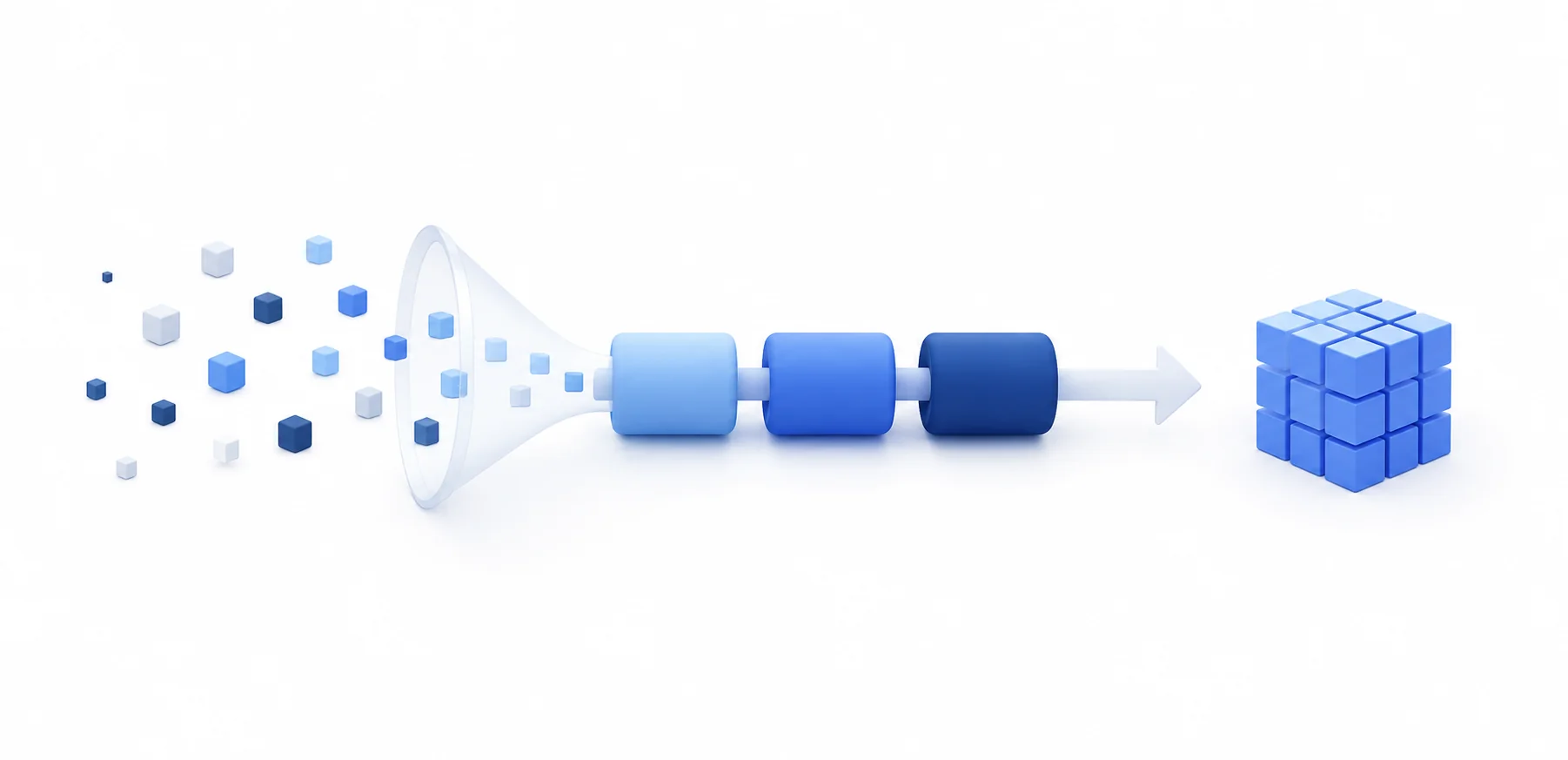
Most ETL "optimization" projects we get pulled into are not really optimization projects. They are diagnosis projects. Someone ran the same nightly job for two years, it slowly crept from forty minutes to four hours, the cloud bill doubled, and now the SLA is broken and a VP wants answers. The team's first instinct is to add workers, bump warehouse size, or rewrite the whole thing in a different framework. Those are all expensive ways to find out the actual problem was a single skewed join, or a step that has been re-reading the same source table eight times a night since 2024.
This guide is the version of the talk we give clients in the first week of an engagement: how to figure out what is actually slow, what is actually expensive, and which fixes are worth your time. It is biased toward the open-source data stack - Spark, Flink, Airflow, Iceberg, dbt - because that is where most modern pipelines live, and because that is where you have enough visibility to do the diagnosis properly. We will get to the fixes. But you cannot pick the right fix until you know what you are looking at.
What "Optimization" Actually Means
The first thing worth doing is being honest about what you are trying to optimize, because runtime, cost, and reliability pull in different directions.
If your goal is runtime, you usually win by throwing more parallelism at the problem, keeping more data in memory, and removing serial steps from the critical path. That tends to cost more, not less.
If your goal is cost, you usually win by doing less work - smaller scans, smaller shuffles, smaller clusters running for shorter periods, cheaper storage tiers. Sometimes that means accepting a longer wall-clock time in exchange for a much smaller bill.
If your goal is reliability - fewer retries, smaller blast radius when something breaks, faster recovery - you are optimizing for a third thing entirely, and the techniques look more like staging layers, idempotent writes, and good schema contracts than like raw performance tuning.
These are not in conflict, but they are in tension. A pipeline that finishes in eight minutes on a 64-node cluster that costs you ninety dollars per run is not "better" than one that finishes in twenty-five minutes on eight nodes for nine dollars - unless the freshness actually buys you something downstream. Before anyone changes a line of code, write down which of the three you are optimizing for, and what the target number is. "Faster" without a number is how optimization projects turn into open-ended infrastructure programs.
Baseline First. Always.
You cannot optimize what you have not measured. Every optimization engagement we run starts with the same boring exercise: get real numbers for the current state. Five buckets, per stage of the pipeline (extract, transform, load), and per pipeline run:
- Wall-clock runtime for each stage and each task inside it
- Rows in, bytes in, bytes out at every hop
- Peak memory and disk spill (Spark's spill metrics, Flink's backpressure indicators)
- Cost per run broken out by compute, storage I/O, and egress
- Failure and retry rate over the last thirty days
If you are on Spark, the History Server and the SQL/DataFrame tab tell you almost everything you need - shuffle read/write, spill, task skew, stage time. If you are on Flink, the metrics endpoint plus checkpoint sizes and backpressure ratios are where you start. Airflow gives you task-level timing for free; the trick is exporting it somewhere you can chart it over time, because the interesting question is not "how long did last night's run take," it is "how has that number drifted over the last ninety days."
This step takes a couple of days, and most teams want to skip it. Do not skip it. The number of "optimization" projects that end with "oh, we were tuning the wrong job" is embarrassingly high.
Diagnose Before You Prescribe
Once you have a baseline, the question is where the time and money are actually going. We use a simple decision tree.
If extraction dominates the runtime, the usual suspects are:
- Full-table reads on sources that have a perfectly good change-data-capture path you are not using
- Source database under contention (you are reading from the OLTP primary at peak hours instead of a replica)
- Network throughput limits between source and your processing layer
- API rate limits when pulling from SaaS sources, with no parallelism strategy
If transformation dominates, look for:
- Row-by-row Python UDFs where set-based SQL would do
- Joins that explode (a Cartesian-ish blow-up because of bad keys)
- Data skew - one key with 90% of the rows, while the other 199 partitions sit idle
- Predicates and projections that never get pushed down to the storage layer
If loading dominates, the suspects are:
- Single-row INSERTs instead of bulk COPY or batched writes
- Maintaining indexes during load instead of dropping and rebuilding
- The small-file problem - millions of tiny Parquet files that the engine has to open one by one
- Writing to a table partitioned on the wrong column for your access pattern
If runtime is fine but the bill is ugly, the suspects are different again:
- Clusters that stay up between runs instead of auto-terminating
- Full refreshes where incremental would do
- Hot storage holding data nobody reads
- Cross-region or cross-AZ data transfer you did not realize you were paying for
Walk the tree. Be honest about which branch you are on. A surprising number of teams jump straight to "we need to migrate to a different framework" before they have ruled out "we have one bad join."
Your Data Is Dirty. Plan For It.
Before any of the performance work matters, there is something every honest ETL conversation has to include: in production, your data is dirty. It is always dirty. Source systems were built by different teams under different deadlines and nobody enforced anything at the edges. Strings show up where integers should be. Timestamps come in three formats. A field that has been nullable since 2019 suddenly arrives with values that break a downstream parser. A new product launch adds an enum value nobody told the data team about.
If your pipeline does not plan for this, two things happen. Either it crashes and you get woken up at 3 AM, or worse, it silently produces wrong numbers and someone in finance acts on them.
The optimizations that matter here are not really performance optimizations - they are the things that keep the rest of your performance work from being wasted on bad data:
- Schema contracts at the boundary. Whether you use Avro with a schema registry, Protobuf, JSON Schema, or just dbt source tests, the pipeline should validate that what arrived matches what was promised, and fail loudly when it does not. Pipelines that "handle" surprise columns by silently dropping them are a slow-motion incident.
- Validation as data, not as exceptions. Bad rows should go to a quarantine table with a reason code, not crash the job. Great Expectations, Soda, dbt tests, and Deequ all do this well. The point is that bad data is a known operational state, not a bug.
- Standardization early, enrichment late. Lowercase your email addresses, normalize your phone numbers, canonicalize your country codes, parse your timestamps to UTC - all of that should happen in a stable staging layer, before any business logic touches it. Doing this late means every downstream model has to handle every variant.
- Deduplication with intent. Decide what "the same row" means before you write a DISTINCT. Source systems regularly re-deliver. Idempotent loads with a stable dedup key save you from compounding the problem at every stage.
- Type coercion you can see. Implicit casts in SQL are how a "phone number" field full of 16-digit values silently overflows an INT and becomes garbage. Be explicit about types at the staging layer and let the engine throw rather than guess.
We have lost count of how many "optimization" engagements have started with a performance ticket and ended with "your bronze layer has no schema validation, half your transformations are working around bad data, and that is why everything is slow." Cleaning the data is the optimization. The rest is downstream.
Extraction: Pull Less, Pull Smarter
Once your data contracts and validation are in place, the cheapest optimization at the extract stage is almost always stop reading data you do not need. Three patterns cover most cases.
Change data capture (CDC). If your source is a transactional database, Debezium streaming into Kafka is the standard answer. You read the WAL once and every downstream consumer gets a feed of changes without touching the primary again. Compared to a nightly SELECT * FROM orders WHERE updated_at > ... that scans a billion-row table, CDC is a different category of efficiency. For teams already running Flink, reading Debezium topics directly into Flink jobs gives you stream-grade freshness with no extra moving parts.
Watermark or timestamp incrementality. If CDC is not available - common with SaaS APIs - persist the latest successful watermark and read only the delta on each run. Add a small overlap (a few minutes to a day, depending on how much your source backfills retroactively) so late-arriving rows do not get missed.
Source-side pushdown. When you are reading from a database, push the filter to the source. When you are reading from object storage, store data in Parquet or ORC with column statistics so the engine can skip files entirely. Reading three columns out of a forty-column Parquet table that is partitioned by date should touch a tiny fraction of the bytes a naive scan would.
A small note on SaaS source rate limits: parallelism only helps you until the API throttles you. We have seen teams spin up 64 Airflow tasks to "parallelize" a HubSpot extract and end up slower than a single-threaded version with a token bucket, because all 64 hit the rate limit and started serially retrying. A coordinated worker pool that respects the actual rate limit is faster than aggressive fan-out.
Transformation: Where the Wins Compound
Transformation is where most of the runtime and most of the dollars sit, and it is also where the highest-leverage fixes live. A few patterns earn their keep over and over.
Set-Based Over Row-by-Row
If you find yourself reaching for a Python UDF inside a Spark job, stop and ask whether the same logic can be expressed in SQL or DataFrame operations. Spark's Catalyst optimizer cannot see inside a Python UDF; every row pays the cost of crossing the JVM-Python boundary, and you lose pushdown, vectorization, and code generation. A regex parse done with regexp_extract runs ten to a hundred times faster than the same regex inside a udf(lambda row: ...). Pandas UDFs (vectorized UDFs) are the middle ground when you genuinely need Python - they amortize the boundary crossing across batches.
Pushdown Everything You Can
The cheapest row to transform is the row you never read. Every modern engine supports predicate and projection pushdown, but only if your storage layout is set up for it.
- Partition pruning. Partition on a column you actually filter by - usually date. If your queries filter by
event_dateand your data is partitioned byingestion_date, every query reads everything. We see this constantly. - File-level statistics. Parquet and ORC both store per-file min/max. Iceberg and Delta carry this up into manifest files, so even before the engine opens a Parquet file it knows whether it can skip the whole thing. This is one of the biggest reasons teams move from raw Parquet on S3 to a table format - the metadata makes scans dramatically smaller. See our Iceberg vs Delta Lake comparison for the trade-offs between them.
- Column projection. Read three columns, not forty. This is free if your storage is columnar; it is wildly expensive if you are still reading CSV.
Fix Skew Early
Data skew is the single most common Spark performance issue we see in the wild. The symptom is unmistakable: one task in a stage takes ten times longer than the others, and the cluster sits at low utilization waiting for it. Common causes are joins on a key with a heavy hitter (one giant customer, one default user_id of zero), or partitioning on a low-cardinality column.
Adaptive Query Execution (AQE) in Spark 3.x catches a lot of this automatically - it can split skewed partitions at runtime, and has been on by default since Spark 3.2. For the cases AQE does not catch, salting the join key (add a random suffix to the heavy-hitter rows, replicate the matching rows on the other side) is the standard play. For broadcast-eligible joins, force the broadcast hint when one side is small enough to fit in memory - it eliminates the shuffle entirely.
Pre-Aggregate Once, Query Many Times
If a dashboard re-computes the same hourly aggregation from raw events every time it loads, you are paying for the same compute over and over. Materialized views in your warehouse, incremental dbt models, or ClickHouse materialized views all solve this in different ways. The pattern is the same: do the expensive computation once when data lands, store the result, and serve fast reads off the result.
Engine Awareness
The right transformation engine depends on the shape of the work.
- Apache Spark still wins for heavy joins across very large datasets, mixed structured/unstructured workloads, and anything that benefits from a broad ecosystem of connectors. The tuning knobs that matter most are
spark.sql.shuffle.partitions(the default of 200 is almost never right), AQE settings, and memory fractions. The Spark UI is where you live during a tuning pass - see our overview of Spark's storage system for how the layers fit together. - Apache Flink is the right answer when you need real streaming with event-time semantics, exactly-once guarantees, and per-event latency in the sub-second range. For optimization, watch checkpoint duration, state size, and backpressure - we cover the production patterns in Mastering Apache Flink in Production and the Kafka + Flink + ClickHouse architecture blueprint.
- ClickHouse is the right transformation engine for high-cardinality analytical workloads and for serving the result to downstream consumers at sub-second latency. Skip indices, projections, and proper sort-key choice matter enormously - see our writeups on partitioning, schema optimization, and query optimization under memory pressure.
- DuckDB and Polars are surprisingly often the right answer for single-node workloads up to hundreds of gigabytes. People reach for Spark on workloads that would run in 30 seconds in DuckDB on a laptop. Match the engine to the data size, not to the team's preferred badge.
Load: Bulk, Partitioned, Idempotent
The load stage is usually the easiest place to find quick wins.
Use the bulk path. Every analytical store has one - COPY in Postgres and Snowflake, INSERT INTO ... SELECT with bulk in ClickHouse, MERGE in Delta and Iceberg. Row-by-row inserts in the load stage will tank your throughput by an order of magnitude or more. If your code looks like a for-loop that calls a single-row insert, that is your bottleneck.
Pick file format and size deliberately. Parquet or ORC, not CSV or JSON, for analytical workloads. Target file sizes of around 128 MB to 1 GB after compression, depending on the engine. Too small and you hit the small-file problem - the engine spends more time opening files than reading data. Too large and you lose parallelism on reads. If you are streaming small batches to an Iceberg or Delta table, schedule periodic compaction.
Partition for read patterns, not write patterns. It is tempting to partition by ingestion time because that is what you have when the data arrives. But your queries probably filter by event time, region, or tenant. Partition for the query, then arrange the load to match - even if it means a small write-side reshuffle.
Be idempotent. A re-run of yesterday's load should produce the same table state, not duplicates. The write-audit-publish pattern (write to a staging table, validate, atomically swap) gives you this for free with Iceberg and Delta because of their atomic commit semantics. Without table formats, you are doing it by hand with stable dedup keys and merge logic. Either way, plan for re-runs.
Orchestration: Airflow, Without Shooting Yourself in the Foot
Airflow is the de facto orchestrator for batch ETL, and it is also where teams accidentally introduce bottlenecks they then blame on the data layer.
A few patterns worth applying:
- Keep task work small. Airflow is an orchestrator, not a transformation engine. Tasks that load gigabytes into the worker's RAM and process them in Python are an anti-pattern. Push the work to Spark, dbt, or the warehouse, and let Airflow just submit and watch.
- Use deferrable operators for long waits. A task that polls a sensor for two hours holding a worker slot is wasting capacity. Deferrable operators hand the wait back to the Triggerer and free the worker.
- Real dependency graphs, not chained sleeps. If task B depends on task A, model it. We have seen DAGs with
time_delta_sensorcalls to "give A enough time to finish" - this is how you get heisenbugs at 2 AM. - Backfill cost is real. A DAG you can backfill cheaply is worth a lot. Idempotent tasks, parameterized date ranges, and partition-aware reads make backfills boring. The opposite makes them six-hour incidents.
- Concurrency limits per pool. Without pools, an aggressive backfill will saturate every worker and starve hourly jobs. Pools are how you reserve capacity for the things that need to run on time.
For teams running heavier event-driven or streaming graphs, Flink is the orchestration layer in addition to the compute layer - see best practices for running Flink on Kubernetes for the deployment side.
When ETL Should Become ELT
The single biggest architectural lever in modern pipelines is the choice of where transformation happens. The old pattern was: pull data out of source systems, transform it in a dedicated ETL tool, load the clean result into the warehouse. The modern pattern is the inverse: extract and load raw data into the warehouse or lakehouse first, then transform it there using the engine's compute.
ELT wins more often than not in 2026, for a few reasons:
- Cloud warehouses and lakehouse engines are very good at SQL transformation and they scale elastically. You are paying for that compute anyway.
- Maintaining a separate Spark cluster purely to do transformations that could run in the warehouse is duplicated infrastructure. Many teams realize they were running Spark for jobs that dbt-on-the-warehouse would handle for less money.
- Raw data in the warehouse gives downstream teams an audit trail and the ability to reprocess without going back to source systems. That is huge for debugging and for regulatory work.
That said, ETL is still the right answer for some cases - regulated data that legally cannot land in the warehouse without redaction, real-time enrichment with sub-second latency requirements, very heavy unstructured processing (parsing PDFs, transcribing audio) that does not fit a warehouse compute model.
The honest answer for most teams is a hybrid: stream into a lakehouse (Iceberg or Delta on object storage), do light cleaning and standardization in Flink or Spark on the way in, and do business-logic transformations as ELT in the warehouse or with dbt on top of the lakehouse. The Kafka + Flink + ClickHouse blueprint is one concrete take on this. Flink + Iceberg is another.
Cost Optimization: The Metric Most Teams Do Not Track
Cost is the most underweighted metric in ETL. Teams track runtime religiously and only notice cost when finance forwards the cloud bill. By then, the damage has compounded for months.
A few things that consistently move the number:
- Spot or preemptible instances for stateless work. Spark workers, Airflow workers running idempotent tasks, batch transformation jobs. If a node disappears, the work re-runs - not free, but often 60-80% cheaper. Anything stateful (the Spark driver, Flink JobManager, databases) stays on-demand.
- Auto-terminate idle clusters. A Databricks or EMR cluster that stays warm overnight in case someone needs it is burning money for nothing. Configure auto-termination and accept the small cold-start cost.
- Right-size warehouses for the actual workload. Snowflake and BigQuery elasticity is great, but most teams over-provision because nobody has measured what the queries actually need. Profile one week of queries, size accordingly, and adjust.
- Storage tiering. S3 Intelligent-Tiering or explicit lifecycle policies move data nobody reads to Glacier. The raw layer of a lakehouse often holds years of data that gets queried once a quarter - it does not need to be in hot storage.
- Egress and cross-region. Pulling data across regions is expensive in ways that do not show up until the bill arrives. Keep transformation in the region where the data lives.
- Tag everything. Tag every cluster, every warehouse, every job with the pipeline name and team. Without tags, you cannot attribute cost. With tags, you can run a top-ten-expensive-pipelines report and aim optimization work where it pays.
For a concrete worked example, see how we helped EverC re-architect their data platform off EMR-on-EC2 onto EMR on EKS to regain control of platform costs. The same principles apply to Athena - we cover the workload-specific knobs in AWS Athena cost and performance optimization tips.
Observability: How You Know the Fix Held
The work is not done when the run is faster. The work is done when you have monitoring that will tell you if it stops being faster. ETL pipelines drift. Data volumes grow, source systems change, someone adds a column, someone bumps a default. Without observability, you find out by getting paged.
The metrics worth alerting on:
- Per-stage runtime, with anomaly detection - not "alert if > 4 hours" but "alert if today is more than two standard deviations off the trailing fourteen-day mean for this stage"
- Row counts in vs out at every stage, with anomaly bounds - a 30% drop in row count usually means an upstream filter changed
- Per-run cost with the same anomaly bands - a pipeline that costs three times last week is broken even if it succeeded
- Schema drift alerts - a new column appeared, a type changed, a non-nullable went nullable. Catch it before it propagates
- Freshness SLAs - the data is up to date as of when. Stale data that "succeeds" is the worst possible state because downstream users trust it
- Lineage - when something breaks, you want to know who depends on it. OpenLineage is the open standard worth investing in
The tooling story here is reasonable. dbt's built-in tests cover a lot of the schema and value-domain work. Great Expectations and Soda cover deeper data quality. OpenLineage emits lineage from Airflow, Spark, and dbt. Marquez or DataHub make that lineage queryable. None of this is glamorous, all of it pays for itself the first time it catches an upstream change before a stakeholder does.
A 90-Day Optimization Plan
If you are starting from "our pipelines are slow and expensive and we do not know which one to fix first," here is the order we usually work in.
Weeks 1-2: Instrument and baseline. Get the five buckets of metrics above into one place. Rank pipelines by cost-per-run and by SLA breach risk. Pick the top three of each. Most teams find they have one or two pipelines responsible for the majority of both.
Weeks 3-6: Quick wins on the top pipelines. Incrementality where you have full refreshes. Pushdown and projection where the scans are gratuitous. AQE verified-on (default since Spark 3.2, but worth checking) and tuned for your workload. File compaction if you are seeing the small-file problem. Warehouse right-sizing. These usually deliver 30-60% improvements on the targeted pipelines without architectural changes.
Weeks 7-10: Architectural moves where they pay. ETL-to-ELT migration for pipelines that are still expensive after tuning. Adopt a table format (Iceberg or Delta) if you are running on raw Parquet and feeling the metadata pain. Replace a Spark job with dbt-on-warehouse where the work is plain SQL. Re-platform a streaming workload from Spark Structured Streaming to Flink if you need real low-latency guarantees.
Weeks 11-13: Harden. Schema contracts and validation at every boundary. Observability and alerts on the metrics that matter. Runbooks for the failure modes you have actually seen. A periodic cost review process so the gains do not erode in six months.
Common Mistakes We See
A short list of things we keep finding:
- Optimizing the wrong pipeline. The loudest job is rarely the most expensive one. Without cost-per-run telemetry, teams tune the pipeline that pages them, not the one that is quietly costing six figures a year.
- Adding parallelism without addressing skew. More workers, same skewed key, same one task doing all the work. The other 63 are now idle on your dime.
- Trusting framework defaults. Spark's 200 shuffle partitions, Airflow's 32 global parallelism, Flink's 1 default parallelism - they are all there as starting points, not as recommendations. Almost every default needs tuning for any non-trivial workload.
- Building real-time when daily is enough. Streaming is genuinely the right answer for some workloads, and a 5x complexity tax for the rest. Be honest about your freshness requirements.
- Skipping the baseline. "We made it faster" with no before-and-after numbers is not optimization, it is a story.
- Ignoring dirty data. Performance work on top of a pipeline full of workarounds for bad upstream data buys you a faster pipeline that still produces wrong numbers. Clean the data, then optimize.
When to Bring in Outside Help
The signals are usually some combination of: optimization work has plateaued and the team is out of ideas, the cloud bill is growing faster than data volume, multiple engines and frameworks have accumulated and nobody is sure which workloads belong where, and the team that built it has rolled off. A targeted engagement - diagnosis first, then a small number of well-chosen architectural changes - is often a much faster path to results than a long internal initiative. We do this work daily at BigData Boutique. If your data platform is the bottleneck you are trying to optimize past, we are happy to take a look.
Frequently Asked Questions
What is ETL process optimization? It is the practice of making data pipelines faster, cheaper, or more reliable - usually all three - by changing what work the pipeline does, where it does it, and how it is scheduled. In modern stacks it covers extraction patterns (CDC, incremental loads), transformation choices (Spark vs Flink vs SQL-in-warehouse), storage layout (table formats, partitioning, file sizing), and operational hygiene (observability, schema contracts, cost attribution).
How do I know if my ETL pipeline needs optimization? The honest answer is: instrument it for two weeks and see. Runtime trending up, cost trending up faster than data volume, SLA breaches, frequent retries, or schema-related incidents all suggest there is meaningful work to do. A pipeline that has not been looked at in two years almost always has 30%+ improvement available somewhere.
Is ELT always better than ETL? Most of the time, in 2026, yes - for the same reasons most analytical workloads have moved to the warehouse or lakehouse. The exceptions are regulated data that cannot land raw, real-time enrichment with sub-second latency, and heavy unstructured processing. Most teams end up with a hybrid.
How much can ETL optimization realistically save? It varies wildly by starting point. A pipeline that has never been tuned routinely gets 50-80% faster and noticeably cheaper from incrementality, pushdown, and right-sizing alone. Architectural moves (ELT migration, table format adoption) can compound that. We do not believe vendor claims of "10x" without seeing the before-and-after numbers.
Spark or Flink for ETL? Spark for batch and micro-batch transformations, especially heavy joins and mixed workloads. Flink for real streaming with event-time semantics and exactly-once guarantees. Many production stacks run both.
Where does Airflow fit in? Airflow is the orchestrator - it submits work to Spark, dbt, or the warehouse and tracks it. It is not the transformation engine. Pipelines that do heavy data work inside Airflow tasks are the ones that get into trouble first.
Should I use a table format like Iceberg or Delta? If you are doing more than the simplest workloads on object storage, yes. The metadata layer gives you pushdown, atomic commits, schema evolution, and time travel - all things you will eventually want and that are very painful to add later. See our Iceberg vs Delta comparison for which one to pick.
What about dirty data? Dirty data is the default state, not the exception. Schema contracts at every boundary, validation as data (quarantine bad rows, do not crash), and explicit standardization in the staging layer are the load-bearing patterns. Performance work on a pipeline full of bad-data workarounds is wasted effort.
If your ETL runtimes or costs are growing faster than your data, our data engineering consulting team audits and rebuilds pipelines like these for a living.